Sound Bar Buyer’s Guide: How to Choose the Right One for Your Home
Ever find yourself turning the volume way up just to catch what the characters are saying, only to get blasted when the action scene kicks in? You’re not alone. It’s one of the most common frustrations with modern flat-screen TVs, and it’s especially noticeable during family movie nights, when you’re trying to follow dialogue in your favorite teleserye, or keeping up with the commentary during a live basketball game.
A sound bar is one of the simplest, most impactful upgrades you can make to your home entertainment setup. But with so many options out there, from compact single-bar units to full surround sound systems, how do you choose the right one? This guide breaks it all down so you can find the perfect fit for your space, your viewing habits, and your budget.
Why a Sound Bar?
Modern flat-screen TVs are designed to be slim and sleek. That’s great for aesthetics, but it often comes at the cost of audio quality. Built-in TV speakers tend to be small, downward-firing, and lacking in bass. If you’ve ever found yourself cranking up the volume just to catch conversations in a movie, you’ve experienced the problem firsthand.
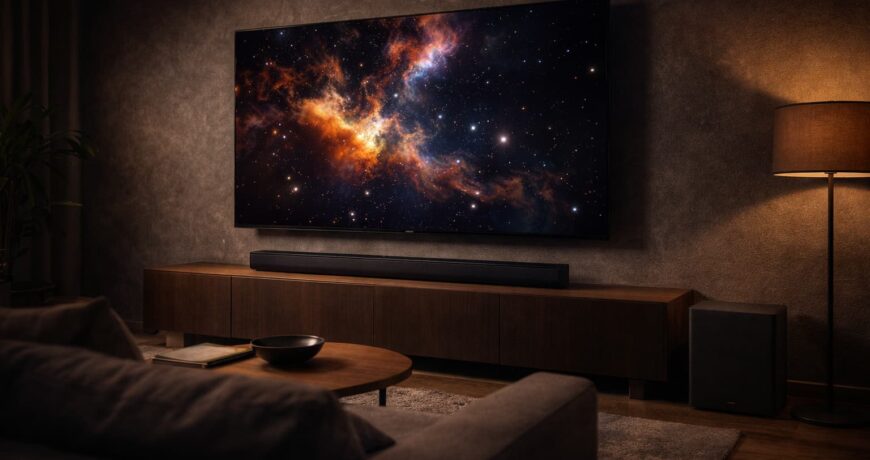
A sound bar sits below or in front of your TV and delivers significantly better audio without the complexity of a full home theater speaker system. No tangled wires, no bulky receivers, no rearranging the living room. For Filipino families who gather around the TV after dinner or on weekends, the difference is immediate.
Types of Sound Bars
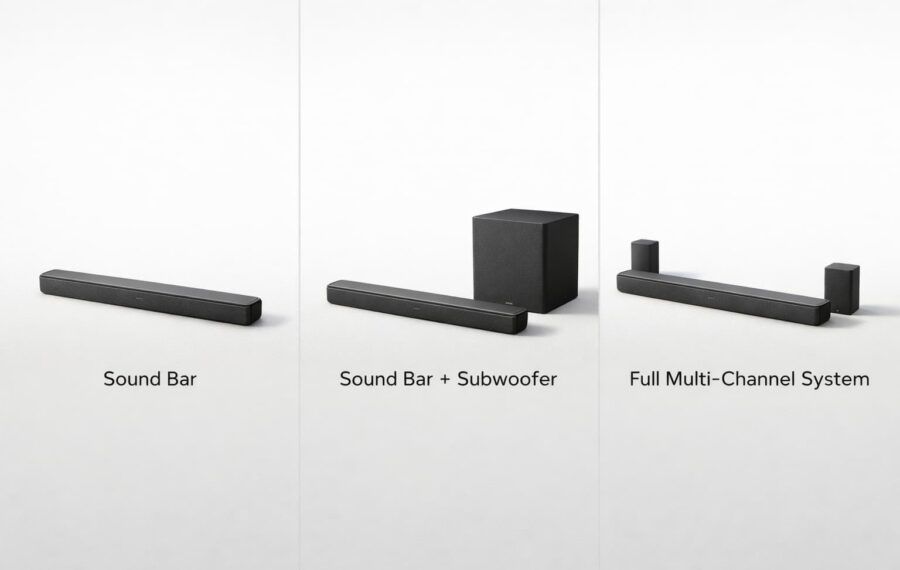
Not all sound bars are built the same. Here’s a quick rundown of the main types:
Standalone Sound Bars
These are single-bar units that handle everything in one compact package. They’re ideal for smaller rooms, bedrooms, or spaces where simplicity is the priority. Many modern standalone bars still deliver impressive audio with built-in virtual surround technology.
Best for: Bedrooms, small living rooms, straightforward setups.
Sound Bars with Subwoofers
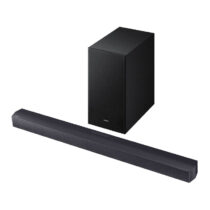
If you want deeper bass for movies, music, and gaming, a sound bar paired with a wireless subwoofer is a popular choice. The subwoofer handles the low-end frequencies, giving explosions, music beats, and dramatic scenes more weight and presence.
Best for: Medium to large living rooms, movie lovers, gamers.
Multi-Channel Sound Bar Systems
These are sound bars that come with additional rear speakers to create true surround sound. Channel configurations like 3.1, 5.1, or even 7.1.2 tell you how many speakers and subwoofers are in the system. The first number is the speaker channels, the second is subwoofers, and the third (if present) is upward-firing height channels for Dolby Atmos.
Best for: Home theater enthusiasts, larger rooms, immersive movie and gaming experiences.
Key Features to Look For
Connectivity
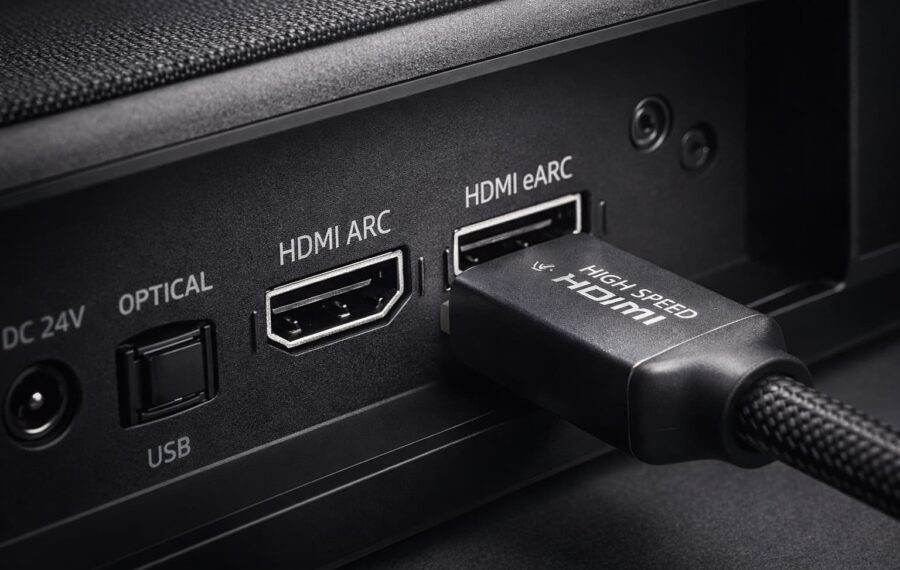
Most sound bars connect to your TV via HDMI ARC or eARC, which carries audio from the TV to the sound bar through a single cable. Many also offer Bluetooth for wireless music streaming from your phone or tablet, and some include Wi-Fi for multi-room audio.
- HDMI ARC/eARC is the gold standard for TV audio. eARC lets your sound bar play the highest-quality audio your TV can send, including Dolby Atmos.
- Bluetooth is great for quick music streaming.
- Optical is a reliable backup if your TV lacks HDMI ARC.
Dolby Atmos and DTS:X
With Dolby Atmos, sound doesn’t just come from left and right — it moves around and above you, like you’re sitting inside the scene. If you’ve ever noticed how immersive a cinema sounds compared to your TV at home, this is the technology that closes that gap. If your TV supports Dolby Atmos, look for a sound bar that does too.
Voice Enhancement
Some sound bars include a dedicated dialogue or voice enhancement mode. This is a lifesaver for anyone who finds themselves constantly adjusting the volume because the music is too loud but the dialogue is too quiet.
Size and Placement
As a general rule, your sound bar should be close to the width of your TV for the best audio spread. A 55-inch TV pairs well with a sound bar around 100-110cm (about 40-43 inches) wide. Most sound bars sit on a table or TV console, but many also include wall-mounting brackets.
How Much Should You Spend?
Sound bars range widely in price, but the good news is there are solid options at every level:
- Entry-level: Great for bedrooms and basic upgrades. You’ll get clear dialogue improvement and Bluetooth connectivity.
- Mid-range: This is where the sweet spot lives for most households. Expect a wireless subwoofer, multiple connectivity options, and possibly Dolby Atmos support.
- Premium: Full surround sound systems with rear speakers, height channels, and automatic room tuning that adjusts the audio to your specific space, so it sounds its best whether your living room is small or spacious.
The best approach is to think about your room size and what you’ll use it for most. A bedroom doesn’t need a 7.1.2 system, and a dedicated home theater deserves more than a basic bar.
Setting Up Your Sound Bar
One of the biggest advantages of a sound bar is how simple setup can be:
- Position it directly below your TV, either on the console or wall-mounted.
- Connect it via HDMI ARC for the best audio quality.
- Place the subwoofer (if included) near the TV or in a corner for enhanced bass.
- Run the auto-calibration if your model has it. This listens to your room and automatically optimizes the sound for your space — no manual tweaking needed.
- Pair your phone via Bluetooth for music streaming.
Most sound bars are ready to go within 10 minutes of unboxing.
Making the Right Choice

Here’s a quick way to narrow things down:
- Watching TV in a bedroom? A standalone sound bar with clear dialogue mode will do the job beautifully.
- Movie nights with the family? A sound bar with a wireless subwoofer gives you that cinematic bass without the complexity.
- Building a home theater? Look at multi-channel systems with Dolby Atmos and rear speakers for full immersion.
- Streaming music often? Prioritize Bluetooth and Wi-Fi connectivity, and look for models with music-tuned EQ modes.
No matter which direction you go, upgrading from your TV’s built-in speakers to a dedicated sound bar is one of those changes you’ll notice immediately and wonder why you didn’t do sooner.
For over 60 years, Ansons has been helping Filipino families find the right home electronics. Browse our range of sound bars from trusted brands like Samsung, LG, JBL, and more. With next-day delivery across Metro Manila and dedicated after-sales support, upgrading your home audio is as smooth as it should be.